

10 min read • 2,245 words
Best Linux Distributions for Beginners in 2026
As the world of technology continues to evolve, the landscape of Linux distributions is no exception. In 2026, choosing the right Linux distribution can significantly impact a beginner’s experience in the open-source environment. This article explores the Best Linux Distributions for Beginners 2026, highlighting options that prioritize user-friendliness, community support, and accessibility. Understanding these distributions is crucial for newcomers who wish to transition smoothly from other operating systems.
Readers will learn about popular choices such as Ubuntu, which remains a top contender due to its intuitive interface and robust community support. Linux Mint is another excellent option, celebrated for its simplicity and ease of use, making it perfect for those migrating from Windows. Additionally, Zorin OS provides a familiar desktop experience, while Pop!_OS caters to both beginners and advanced users with its clean interface. Lastly, Elementary OS stands out for its aesthetic appeal and user-centric design. Each distribution offers unique features that can enhance the user experience, making Linux accessible to everyone.
1. Ubuntu: The Most Popular Choice
When it comes to the Best Linux Distributions for Beginners 2026, Ubuntu stands out as the most popular choice among new users. Its user-friendly interface, powered by the GNOME desktop environment, makes it easy for anyone to navigate and utilize the system effectively. The clean layout and intuitive design help beginners feel comfortable as they transition from other operating systems.
One of the significant advantages of Ubuntu is its extensive community support. With a large user base, beginners can easily find help through forums, tutorials, and documentation. The official Ubuntu website offers a wealth of resources, including guides and FAQs, making it simple for users to troubleshoot issues or learn new skills. Additionally, platforms like Ask Ubuntu and Reddit provide spaces for users to ask questions and share experiences.
Ubuntu also benefits from regular updates and long-term support (LTS) versions. The LTS releases, which occur every two years, receive updates for five years, ensuring that users have a stable and secure operating system. This reliability is crucial for beginners who may not want to deal with frequent upgrades or potential instability.
Moreover, Ubuntu offers a wide range of software available through Snap and APT package managers. Users can easily install applications with simple commands. For example, to install the popular text editor Nano, you can use the following command:
sudo apt install nanoThis ease of access to software makes Ubuntu an excellent choice for beginners looking to explore various applications without the hassle of complicated installations.
2. Linux Mint: A Windows-Like Experience
Linux Mint stands out as one of the best Linux distributions for beginners in 2026, particularly for those transitioning from a Windows environment. Its Cinnamon desktop environment offers a layout that is strikingly similar to what many users are accustomed to, making the switch less daunting. The familiar taskbar, start menu, and window management features allow new users to navigate the system with ease.
One of the key advantages of Linux Mint is its pre-installed software, which caters to everyday tasks. Users can find essential applications readily available, including:
- Firefox: A reliable web browser for internet browsing.
- LibreOffice: A complete office suite for document creation and editing.
- GIMP: A powerful image editing tool for graphic design needs.
- VLC Media Player: For playing a wide range of audio and video formats.
This thoughtful selection of software means that users can start working on their projects immediately after installation, without the need to hunt for and install additional applications. The focus on user experience is evident in every aspect of Linux Mint, from its intuitive interface to its comprehensive settings menu, which allows users to customize their environment easily.
Additionally, Linux Mint boasts a robust community of users and developers. The active community forums are a treasure trove of information, where beginners can seek assistance, share experiences, and learn from others. This support network is invaluable for newcomers who may encounter challenges as they adapt to their new operating system.
In summary, Linux Mint provides a seamless transition for Windows users, making it one of the best Linux distributions for beginners in 2026.
3. Zorin OS: A Beginner’s Gateway
Zorin OS stands out as one of the best Linux distributions for beginners in 2026, offering a seamless transition for users coming from Windows or macOS. Its customizable interface allows users to choose a layout that resembles their previous operating systems, making it easier to adapt. This feature is particularly beneficial for those who may feel intimidated by the traditional Linux desktop environments.
The installation process of Zorin OS is designed with simplicity in mind. Users can easily download the ISO file from the official website and create a bootable USB drive using a command like:
sudo dd if=path/to/zorin.iso of=/dev/sdX bs=4M status=progressOnce the USB drive is prepared, users can boot from it and follow the straightforward installation wizard. This process ensures that even those with minimal technical knowledge can successfully install the operating system without hassle.
Another significant advantage of Zorin OS is its built-in tools for running Windows applications. With the inclusion of Wine and PlayOnLinux, users can easily install and run their favorite Windows software without needing a separate Windows installation. This feature is a game-changer for beginners who rely on specific applications for their daily tasks.
Moreover, Zorin OS places a strong emphasis on privacy and security. It comes pre-installed with essential security features, such as a firewall and encryption options, ensuring that users can browse the internet safely. The operating system also receives regular updates to protect against vulnerabilities, making it a reliable choice for those concerned about their online security.
In summary, Zorin OS is an excellent choice for anyone looking to explore the world of Linux. Its user-friendly features, combined with a focus on privacy and security, make it one of the best Linux distributions for beginners in 2026.
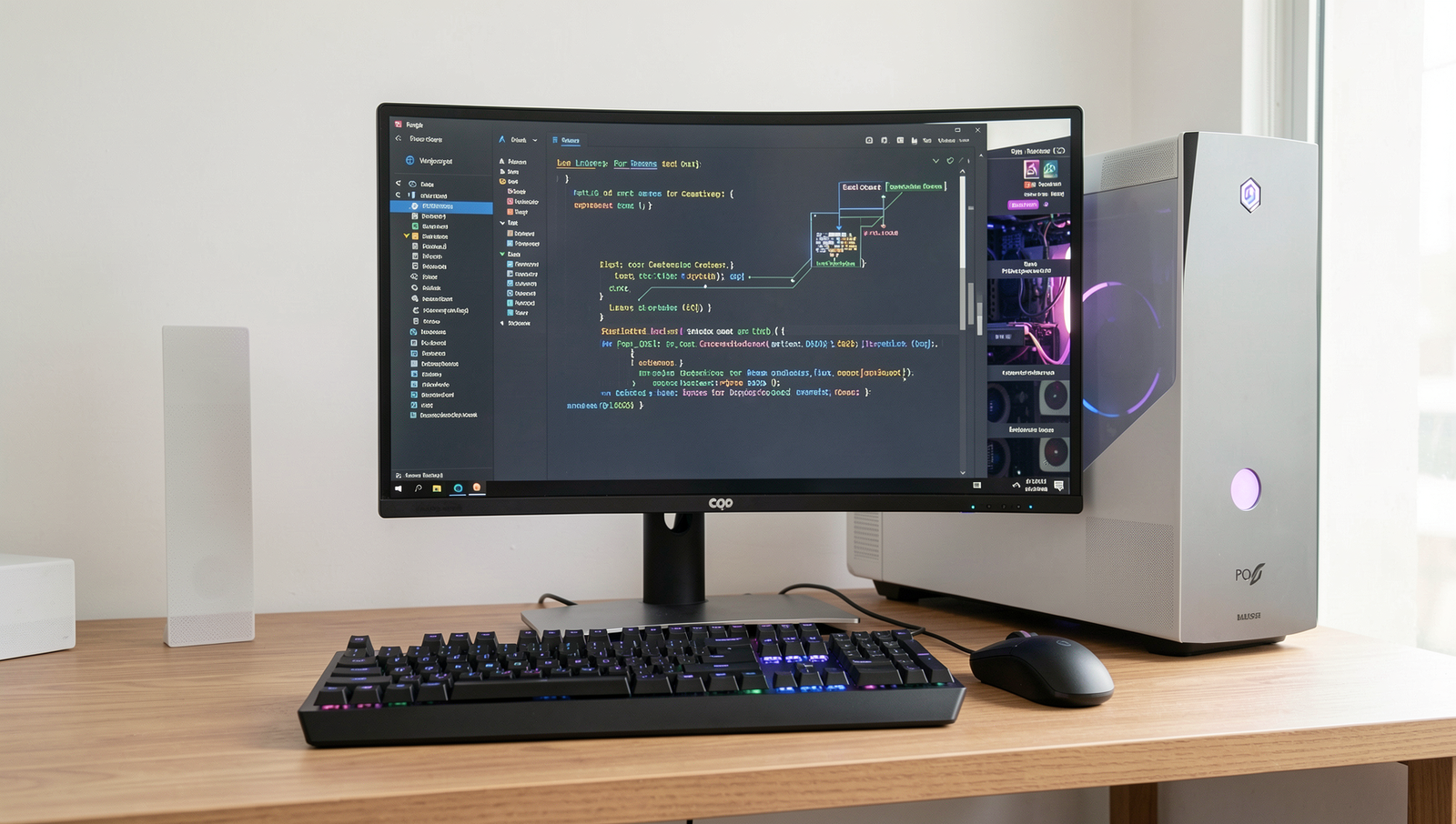
4. Pop!_OS: For Gamers and Creatives
Pop!_OS is rapidly gaining recognition as one of the best Linux distributions for beginners in 2026, particularly among gamers and creative professionals. Developed by System76, Pop!_OS is built on Ubuntu and is optimized for performance, making it an excellent choice for those who want a smooth and efficient experience.
One of the standout features of Pop!_OS is its easy installation of graphics drivers. This is particularly beneficial for gamers who rely on high-performance graphics cards. With just a few clicks, users can install proprietary drivers for NVIDIA and AMD graphics, ensuring that they can run the latest games and applications without any hassle. For example, to install NVIDIA drivers, users can simply run the following command:
sudo apt install nvidia-driver-Another significant advantage of Pop!_OS is its tiling window manager, which enhances productivity by allowing users to organize their workspace efficiently. This feature automatically arranges open windows to maximize screen real estate, making it easier to multitask and focus on creative projects. For instance, users can quickly switch between coding, graphic design, and gaming without the clutter of overlapping windows.
Regular updates ensure that users have access to the latest features and security patches, keeping their systems running smoothly and securely. The strong community support surrounding Pop!_OS also provides beginners with a wealth of resources, including forums, tutorials, and documentation. This makes troubleshooting and learning much more accessible for those new to Linux.
- Optimized for gaming and creative work
- Easy installation of graphics drivers
- Tiling window manager for productivity
- Regular updates and strong community support
In summary, Pop!_OS stands out as one of the best Linux distributions for beginners in 2026, especially for those interested in gaming and creative endeavors.
5. Elementary OS: A Beautiful and Simple Design
Elementary OS stands out as one of the best Linux distributions for beginners in 2026, thanks to its elegant and minimalistic interface. Designed with the user in mind, it offers a clean and intuitive desktop environment that makes navigation straightforward for newcomers. The aesthetic appeal of Elementary OS is not just about looks; it enhances usability, making it easier for users to find and use applications without feeling overwhelmed.
The focus on usability and aesthetics is evident in every aspect of Elementary OS. The operating system employs a design philosophy that prioritizes simplicity and functionality. Users will find that common tasks can be performed with minimal clicks, allowing them to focus on their work rather than getting lost in complex menus. This is particularly beneficial for those who are new to Linux and may not be familiar with the intricacies of different operating systems.
Elementary OS comes pre-installed with a selection of applications that provide a complete experience right out of the box. Users can expect to find essential tools such as a web browser, email client, music player, and more. This curated selection ensures that beginners have everything they need to get started without the hassle of searching for and installing software. Additionally, the AppCenter allows users to easily discover and install new applications, further enhancing their experience.
- Elegant and minimalistic interface that is easy to navigate.
- Pre-installed applications for immediate usability.
- Strong emphasis on privacy and user control, ensuring data protection.
Furthermore, Elementary OS places a strong emphasis on privacy and user control. Users are encouraged to take charge of their data, with built-in features that protect personal information. This commitment to privacy makes it an attractive choice for those who value security in their computing experience.
Conclusion
As we look ahead to 2026, the landscape of Linux distributions continues to evolve, offering a plethora of choices for beginners. The best Linux distributions for beginners in 2026, such as Ubuntu, Linux Mint, and Zorin OS, provide user-friendly interfaces, extensive community support, and a wealth of resources to help new users acclimate to the Linux environment. These distributions prioritize ease of use while maintaining powerful features that can cater to both novice and experienced users alike. By choosing one of these beginner-friendly options, users can enjoy a seamless transition from other operating systems to Linux.
Moreover, the benefits of adopting a Linux distribution extend beyond just usability. Users can experience enhanced security, greater customization, and access to a vast array of free software. As you embark on your Linux journey, take the time to explore the various distributions available and consider your specific needs and preferences. With the right choice, you can unlock the full potential of Linux and join a vibrant community of users. Embrace the future of computing with the best Linux distributions for beginners in 2026, and enjoy a rewarding and enriching experience.
Real-World Examples
When considering the best Linux distributions for beginners in 2026, it’s essential to look at real-world applications and scenarios where these operating systems shine. Many users transition to Linux for various reasons, including performance, security, and the desire for a customizable environment. Here are some practical examples of how beginners can benefit from specific distributions.
One of the most popular choices for newcomers is **Ubuntu**. Its user-friendly interface and extensive community support make it ideal for those who are just starting. For instance, a beginner might install Ubuntu on an older laptop to breathe new life into the hardware. With Ubuntu, users can easily access a wide range of software through the Ubuntu Software Center, allowing them to install applications like LibreOffice for productivity or GIMP for image editing without any hassle.
Another excellent option is **Linux Mint**, which is often praised for its familiar desktop environment that resembles Windows. A user switching from Windows might find Linux Mint particularly appealing. For example, a student could use Linux Mint to manage their studies by utilizing tools like Zotero for reference management and VLC for media playback, all while enjoying a seamless experience that feels intuitive.
**Zorin OS** is another distribution worth mentioning. It is designed specifically for users transitioning from Windows or macOS. A beginner might choose Zorin OS to create a home media server. With its easy setup and built-in applications like Kodi, users can turn their old PCs into powerful media centers, streaming movies and music effortlessly.
Lastly, **Elementary OS** focuses on simplicity and elegance, making it a great choice for creative professionals. A graphic designer might opt for Elementary OS to utilize software like Inkscape and Blender, benefiting from the clean interface that allows for distraction-free work.
These examples highlight how the best Linux distributions for beginners in 2026 can cater to various needs, making the transition from other operating systems smooth and enjoyable. Each distribution offers unique features that can enhance productivity, creativity, and overall user experience, proving that Linux is a viable option for anyone willing to explore its capabilities.
Frequently Asked Questions
What is the best Linux distribution for beginners in 2026?
In 2026, one of the best Linux distributions for beginners is Ubuntu. It offers a user-friendly interface, extensive documentation, and a large community for support. Additionally, distributions like Linux Mint and Zorin OS are also excellent choices, providing intuitive experiences and ease of use for those new to Linux.

Are there any lightweight Linux distributions for older hardware?
Yes, there are several lightweight Linux distributions designed specifically for older hardware. Options like Lubuntu and Xubuntu are built to run efficiently on less powerful machines. These distributions use